Uw Site Mobiel
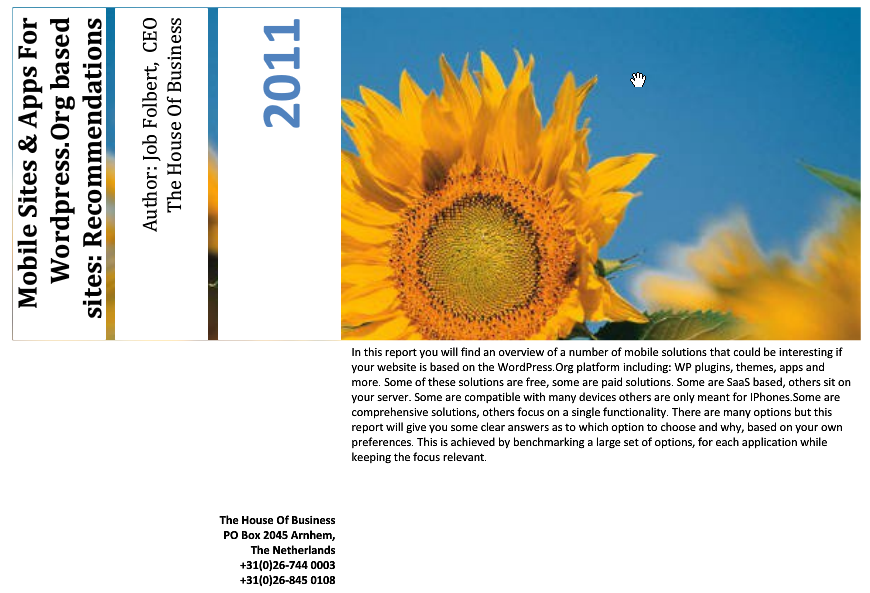
Heeft u een (WordPress.Org) site die u ook mobiel toegankelijk wilt maken? Er zijn dan heel wat factoren die u in overweging zou moeten nemen voor u een mobiele oplossing kiest. Hieronder kunt u een mini-paper downloaden met een aantal belangrijke vragen die u zich zou moeten stellen. Het bevat bovendien een uitgebreide benchmark van 12 mobiele oplossingen. Een aantal van deze oplossingen is speciaal ontwikkeld voor WordPress. Anderen zijn breder toepasbaar. De mobiele oplossingen zijn gebenchmarked op kosten, technologie en vele andere factoren.Geen tijd of zin om het hele rapport te lezen? Dan zijn in deze blogpost de zeven vragen voor u samengevat:
Zeven Vragen
1. Thema, plugin of app?
Indien u alle bezoekers een mobiele interface wilt laten zien dan kunt u er eenvoudigweg voor kiezen om een mobiel CSS thema te kiezen voor alle gebruikers. Wanneer u echter de interactie met gebruikers wilt baseren op het apparaat waarmee zij naar uw site navigeren dan kunt u beter kiezen voor een WordPress plugin. Wilt u mobiele gebruikers toegang geven tot uw content danb kunt u er bovendien voor kiezen om een downloadbare app beschikbaar te stellen en die beschikbaar te maken op uw site. Hierbij is het van belang om aandacht te schenken aan de distributie modellen die beschikbaar zijn voor uw app. Dit is vaak mede afhankelijk van het platform waarop u de app bouwt. Apple Appstore en Android Marketplace kunnen langdurig en gecompliceerd zijn en het kost ook vaak geld. Sommige platforms voor de bouw van apps faciliteren dit aanmeldings proces. Anderen hebben een eigen distributie model. Bedenk ook dat u CSS thema’s, plugins en andere mobiele versies van uw site kunt combineren met een downloadable app.
2. Saas of server based?
Saas platforms kunnen een uitstekend uitgangspunt zijn voor uw mobiele site omdat ze voortdurend onderhouden worden en bijgewerkt met de nieuwste technologie terwijl ze soms ook veel bandbreedte bieden die uw eigen server ontlast. Wilt u aan de andere kant volledige controle houden over uw mobiele site en zijn in potentie briljante code dan is een server gebaseerd platform voor de bouw van mobiele sites waarschijnlijk te prefereren.
3. Media rijke mobiele content of alleen tekst?
Wanneer u ook gebruikers van oudere mobiele toestellen toegang wilt geven tot uw site (naast gebruikers van de nieuwste Apple en Android toestellen) dan is het waarschijnlijk verstandig een mobiele versie van uw site beschikbaar te maken die de bandbreedte opslokkende elementen van uw gewone site (zoals video) uitschakelt. Wanneer u alleen gebruikers van de nieuwste smartphones een optimale beleving wilt geven op uw site omdat u bijvoorbeeld uit analytische gegevens weet dat de meeste van uw bezoekers hierover beschikken dan is het raadzaam een mobiele oplossing te selecteren die een slim gebruik maakt van video, plaatjes, geografische gegevens en andere geavanceerde media rijke functionaliteit.
4. Intuïtieve Interface met Drag and Drop functionaliteit of ruimte voor geavanceerde programmering?
Wanneer u in de gelukkige omstandigheid bent dat u zelf of een van uw medewerkers de nieuwste programmeer standaarden beheersen en u heeft behoefte aan een custom oplossing dan is een mobiel platform die hiervoor ruimte biedt van belang. Maakt u het zelf liever makkelijk dan zijn er ook veel oplossingen die een intuïtieve interface bieden voor het creeeren van uw app of site. In sommige gevallen is het ook mogelijk om het bouwen uit te besteden aan de makers van het mobiele platform maar dit is vaak behoorlijk duur.
5. Is outsourcen van de bouw een optie?
Als u uw app een professionele uitstraling wilt geven maar niet over de nodige expertise beschikt dan bieden sommige mobiele platforms voor de bouw van apps en mobiele sites de mogelijkheid de bouw uit te besteden. Dit kan soms duur zijn. Bedenk ook of u wel in hoge mate afhankelijk wilt zijn van een derde voor deze belangrijke functionaliteit. Wanneer uw app of site eenmaal in de lucht is kunt u in een situatie van “lock in”terecht komen waarbij u keer op keer opnieuw moet betalen voor wijzigingen.
6. Gratis oplossing of toch maar betalen (wat is uw budget)?
Alvorens een mobiele oplossing te kiezen, is het van belang te bepalen wat uw budget is. De kosten van verschillende platforms kunnen aanzienlijk minder transparant zijn dan ze op het eerste gezicht lijken. In sommige gevallen is er sprake van zowel eenmalige als maandelijkse kosten en blijken achteraf bepaalde opties betaald te zijn die u in het basis pakket zou mogen verwachten. Gelukkig zijn er ook hele behoorlijke gratis oplossingen beschikbaar.
7. Welke programmeer standaard (HTML5, CSS etc.) prefereert u en waarom?
Verschillende mobiele oplossingen zijn gebasseerd op uiteenlopende programmeer standaarden. Een “1 fits all solution” zou HTML 5 kunnen zijn omdat het compatibel is met veel verschillende mobiele interfaces/ apparaten. Voor een optimale beleving op verschillende apparaten kan het toch het overwegen waard zijn om apps te bouwen voor verschillende standaarden zoals iOS, Android enzovoort. De vraag wordt dan: beschikt u binnen of buiten uw organisatie over de capaciteit om al die verschillende versies van uw site te programmeren en vooral ook te onderhouden?
Over het paper
In het paper dat u hieronder kunt downloaden vindt u een rangschikking van een groot aantal belangrijke opties m.b.t. het aanbieden van een mobiele versie van uw site of app. De gepresenteerde opties zijn met name van belang als u een WordPress.org site heeft maar kunnen ook breder toegepast worden. Besproken worden: populaire plugins, Saas oplossingen, server based oplossingen, platforms om apps te bouwen en oplossingen om mobiele versies van uw site te maken. Naast betaalde oplossingen komt ook een aantal gratis alternatieven aan bod. Aangegeven wordt ook wanneer betreffend platform nadrukkelijk de mogelijkheid van een custom build aanbiedt. Het rapport bestaat uit tabellen met benchmark gegevens m.b.t. deze en een groot aantal andere factoren die van belang zijn voor uw beslissing. Onder iedere tabel is een commentaar/toelichting toegevoegd. Ook is een sectie toegevoegd met links naar- en hoogtepunten van een aantal oplossingen zoals vermeld op de sites van de aanbieders.
DOWNLOAD NU (dit paper is niet langer beschikbaar)